




This post and its photos may contain affiliate links. As an Amazon associate I earn from qualifying purchases. If you make a purchase through these links, I may receive a small commission at no extra cost to you.
This Welcome to Our Wedding SVG Cut File makes it easy to create a beautiful first impression with stunning signs, decor, and personalized DIY wedding details.
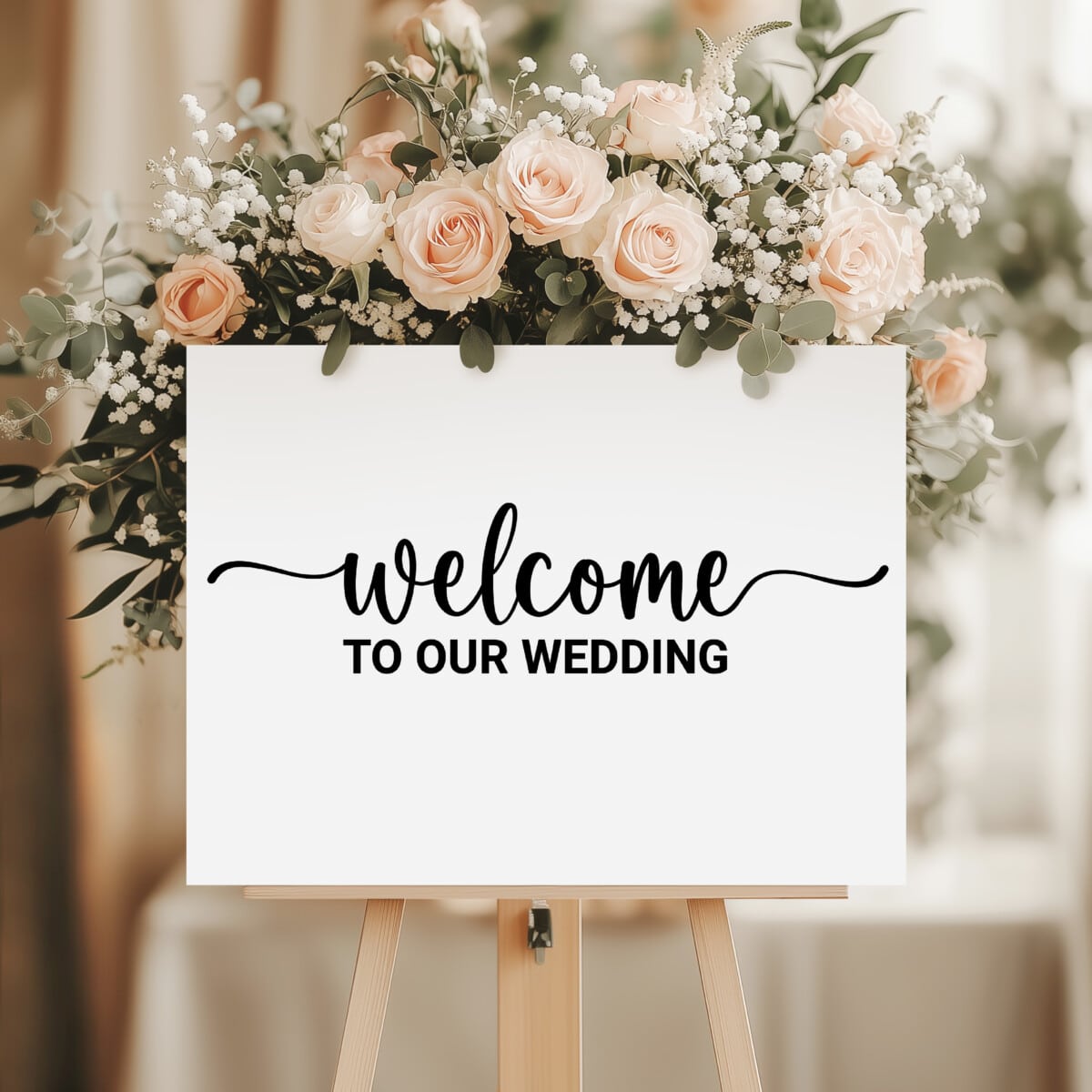
Free Welcome to Our Wedding SVG Cut File
If you’re planning a wedding and love adding personal touches to your big day, this Welcome to Our Wedding SVG is the perfect cut file to help you create beautiful, custom decor with ease.
This design is a simple yet elegant way to make your celebration feel even more special. Use this versatile SVG to create custom signs, entrance decor, favors, and other wedding details that set the tone for your event.
Whether you’re decorating for a rustic barn wedding, an elegant indoor reception, a garden ceremony, or a backyard celebration, this wedding SVG design adds a warm and inviting touch that guests will notice right away.
What is an SVG Cut File?
Before we start crafting, let’s quickly cover the basics. An SVG cut file stands for Scalable Vector Graphics cut file. It’s a popular file format used in the world of crafting, particularly in projects involving cutting machines.
What makes an SVG vector special is that they can be scaled up or down without losing their quality, which means you can resize them to any size you want, and they will remain crisp and clear. This flexibility makes SVG files perfect for cutting out intricate shapes, designs, or text on various materials such as paper, vinyl, fabric, or even wood.
Crafters use SVG cut files with cutting machines to precisely cut out the designs they want. These machines follow the path defined in the SVG file and create clean and accurate cuts, allowing people to create beautiful and professional-looking crafts, decorations, and more.
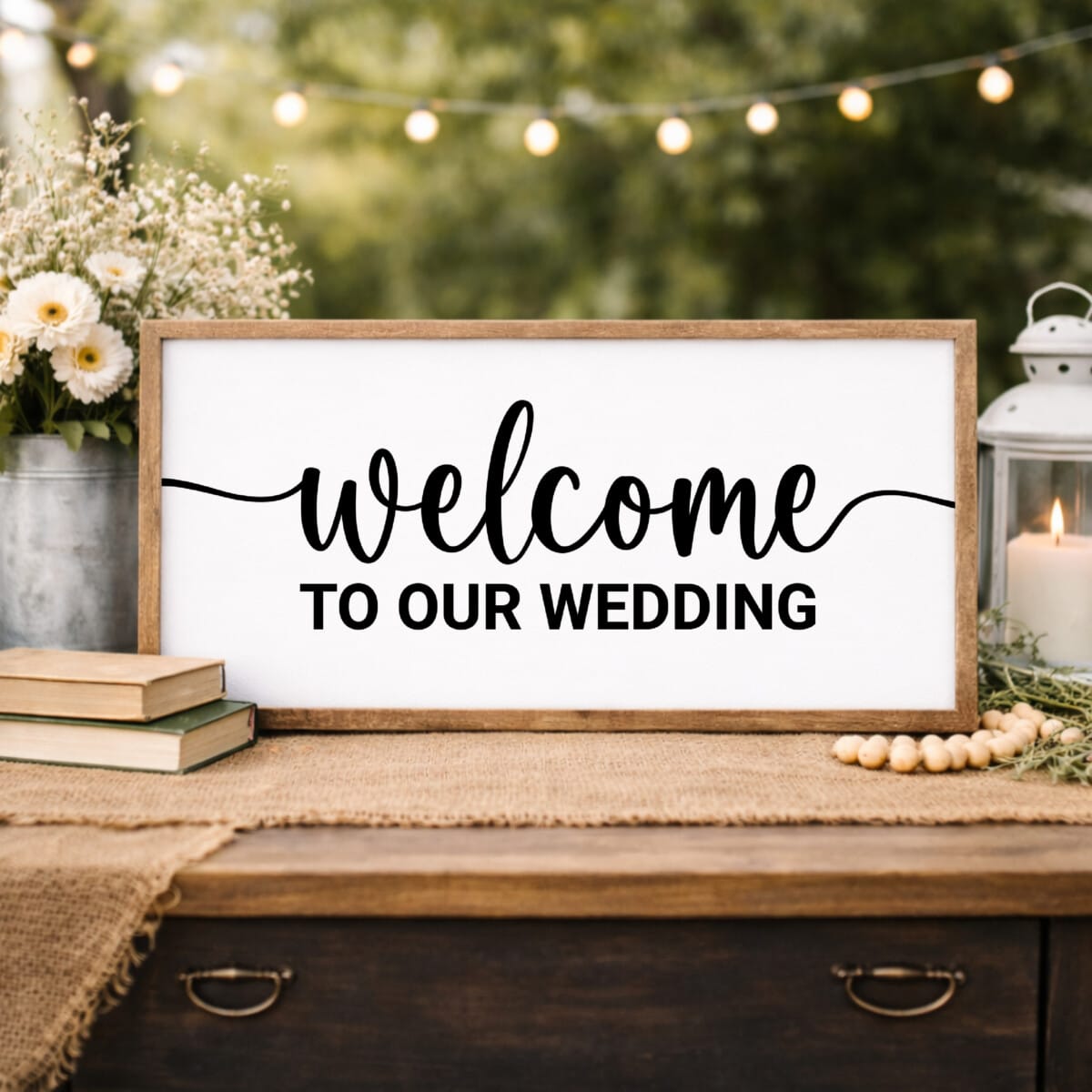
Why You’ll Love This Wedding SVG
- Creates a Warm First Impression – Greet your guests with a stylish and welcoming sign that sets the tone for your celebration.
- Perfect for DIY Wedding Decor – Create signs, displays, and custom pieces without needing advanced crafting skills.
- Works with Cricut & Silhouette – This welcome SVG was designed for seamless use with your favorite cutting software.
- Versatile for Multiple Projects – Use it on wood signs, acrylic, mirrors, canvas, or even wedding favors.
- Timeless & Elegant Design – A classic phrase that fits any wedding style.
- Easy to Customize – Pair it with names, dates, or colors to match your wedding theme perfectly.
- Great for Any Wedding Size – Whether you’re planning a large celebration or an intimate gathering, this SVG helps you create meaningful details that make your wedding feel truly special.
Ideas for Using This Free Wedding SVG
This Welcome to Our Wedding SVG can be used to create beautiful, coordinated details throughout your wedding day. Whether you’re going for a simple look or a fully styled setup, this design works perfectly across a variety of projects.
- Wedding Signs – Perfect for your ceremony or reception entrance
- Reception Signs – Use for bar areas, gift tables, or directions
- Acrylic or Mirror Sign – Create a modern, elegant statement piece
- Wood Sign Decor – Perfect for rustic or outdoor weddings
- Seating Display Backdrop – Pair with your seating chart
- Guest Book Table Sign – Add a cohesive touch to your table setup
- Photo Booth Sign – Use as a backdrop or prop sign
- Wedding Favor Tags – Add to gift bags or favors
- Bridal Shower Decor – Reuse for pre-wedding celebrations
- Anniversary Keepsake – Turn your sign into home decor after the wedding
What File Formats Come With This Wedding SVG?
- SVG file – Scalable Vector Graphics for Cricut Design Space and laser cutters.
- DXF file – Drawing Exchange Format for Silhouette Studio.
- PNG and JPG file – Image files for printing. The PNG file has a transparent background.
Type of Cutting Machines to Use with these Digital Files?
This SVG can be cut using any of the major cutting machines on the market – Cricut machine (Cricut Explore, Cricut Maker or Cricut Joy), Silhouette – (Silhouette Cameo or Silhouette Portrait), Siser Juliet, or Brother ScanNCut. You can also use a laser cutter to cut vinyl like a Glow Forge or xTool.
How to Download This Free Digital Download
I’ve made it so easy to download this free download. Just add your name and email in the form below and this FREE digital download will be delivered right to your inbox.
This will also sign you up for my weekly e-newsletter so you’ll have access to exclusive free cut files and more easy crafts. Once you’ve received the email, all you have to do is open the cut file and save the SVG file to your computer. It’s that easy!
More Free Wedding SVG Files
Explore even more free designs with these additional wedding SVG cut files, perfect for creating more beautiful DIY wedding craft projects with your favorite cutting machine.
- Love & Laughter & Happily Ever After by Flowingcreek
- And They Lived Happily Ever After by Harper N Co
- Wedding Memorial Sign SVG by Gina C. Creates
- Mr & Mrs with Rings by Try It – Like It – Create It
- Forever Starts Today SVG by The Quiet Grove
- Bride and Groom Card by The Crafty Blog Stalker
- Floral Monogram Frames by Dinosaur Mama
- Bride to Be by Kiy’s Craftroom
- Let Them Eat Cake by Artsy-Fartsy Mama
- Team Bride/Team Groom by The Scrap Shoppe
- Better Together Floral Circle by Sunshine and Munchkins
Terms of Use
All cut files included in this free SVG collection are for personal use only. Make as many personal projects as you wish using this digital download. Create shirts, home decor, mugs, DIY projects, and other physical products for yourself and as gifts as often as you like.
If you make and sell handcrafted items using digital files downloaded for free from Kara Creates, you will need to obtain a commercial license. A commercial license allows you to create items for your small business with my designs for commercial purposes. Digital cut files and printables cannot be altered or modified and then resold as any other digital products. Digital reselling, sharing, redistributing of the files is NOT allowed. In order to share, use the direct URL to this page. This is a digital product. No physical products or physical items will be sent to you.